



















Enamel pins have become one of the most popular ways to express creativity, promote brands, and build communities. Whether you’re an artist looking to monetize your designs or a business owner wanting custom promotional items, learning how to create professional-quality enamel pins is a valuable skill that can open doors to new opportunities.
Understanding Enamel Pin Design Fundamentals
Before diving into the technical aspects, it’s crucial to understand what makes an enamel pin design successful. The best pins combine visual appeal with practical manufacturing considerations. Unlike digital artwork, enamel pins have physical constraints that directly impact both appearance and cost.
Effective pin designs typically feature bold, simple shapes with clear color separation. Fine details that look stunning on screen often disappear when translated to a small metal pin. The key is finding the sweet spot between artistic expression and manufacturing feasibility.
Essential Software Tools for Pin Design
Professional enamel pin creation requires vector-based design software that can handle precise line work and color fills. Adobe Illustrator remains the industry standard, offering advanced vector tools and excellent manufacturer compatibility. The software’s pen tool, shape builder, and color management features make it ideal for creating clean, scalable pin designs.
For budget-conscious designers, several alternatives provide similar functionality. Inkscape offers a free, open-source solution with robust vector capabilities. Affinity Designer presents a one-time purchase option that rivals Illustrator’s features at a fraction of the cost. Canva has also introduced vector tools suitable for basic pin designs, though it lacks the precision required for complex projects.
Procreate on iPad has gained popularity among artists for initial concept sketches, but you’ll need to transfer designs to vector software for final production files. The key is choosing software that exports clean vector files manufacturers can use directly.
Step-by-Step Design Process
Planning Your Concept
Start by sketching your ideas on paper or using digital drawing tools. Consider your target audience and the message you want to convey. Research existing pins in your niche to understand market preferences and identify opportunities for unique designs.
Pin size significantly impacts design complexity and cost. Standard sizes range from 0.75 inches to 2 inches, with 1-1.25 inches being most popular. Larger pins allow for more detail but increase manufacturing costs and may be less comfortable to wear.
Creating Vector Artwork
Open your chosen vector software and set up a new document with dimensions matching your intended pin size. Work at actual size to ensure design elements remain visible and well-proportioned when manufactured.
Use the pen tool to create clean outlines around your design elements. Enamel pins require distinct color areas separated by metal lines, so avoid gradients, shadows, or overlapping transparent elements. Each color should be a separate, closed shape that can be filled with enamel during manufacturing.
Maintain minimum line weights of 0.3mm to ensure details survive the manufacturing process. Thinner lines may disappear or appear inconsistent in the final product. Similarly, keep spaces between design elements at least 0.5mm apart to prevent colors from bleeding together.
Color Selection and Management
Choose colors from your manufacturer’s available enamel palette rather than using arbitrary RGB or CMYK values. Most manufacturers provide digital color guides showing exactly which colors they can produce. This prevents disappointment and revision requests during production.
Limit your design to 4-6 colors maximum for cost control. Each additional color increases manufacturing complexity and expense. Consider using the metal finish (gold, silver, copper, or black) as one of your design colors to create contrast without adding enamel costs.
Technical Specifications and File Preparation
Prepare separate layers for different design elements: base metal outline, color fills, and any special finishes. Export your final design as both a high-resolution PDF and an editable vector file (AI or EPS format). Include a separate file showing Pantone color numbers for each design element.
Create a technical specification sheet listing pin dimensions, metal finish, backing options, and any special requirements. This documentation ensures manufacturers understand exactly what you want and can provide accurate quotes.
Personal Experience: Learning from Mistakes
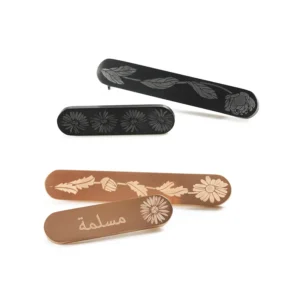
When I created my first enamel pin series featuring intricate botanical illustrations, I made several rookie mistakes that taught me valuable lessons. My initial designs included fine line details and subtle color gradients that looked beautiful on screen but translated poorly to physical pins.
The manufacturer’s sample revealed that delicate flower stems became thick, clunky lines, and my carefully chosen color palette shifted significantly from screen to enamel. This experience taught me the importance of designing specifically for the medium rather than adapting existing artwork.
My second attempt focused on bold, simplified shapes with clear color separation. The results were dramatically better, and the pins became bestsellers in my online shop. This taught me that constraints often lead to more creative and successful solutions.
Common Design Mistakes to Avoid
New pin designers frequently struggle with scale and detail. Text smaller than 8pt typically becomes illegible on pins. Complex patterns with many small elements often merge together during manufacturing. Designs with too many colors quickly become expensive and visually cluttered.
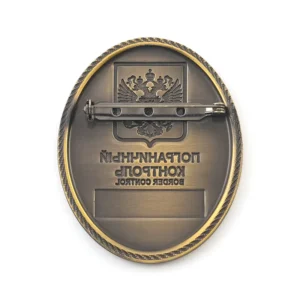
Another common error is ignoring the pin’s backing and attachment method during design. The area where the pin post attaches needs to be structurally sound, which may require adjusting your design layout.
Working with Manufacturers
Research potential manufacturers thoroughly, examining their previous work, customer reviews, and communication quality. Request samples of their work to evaluate manufacturing quality firsthand. Reliable manufacturers will provide detailed quotes breaking down costs and timelines.
Communicate clearly about your expectations and ask questions about any aspects you don’t understand. Professional manufacturers appreciate designers who provide complete, well-prepared files and specifications.
Final Design Review and Approval
Before approving final production, request a digital proof or physical sample. Review every detail carefully, as changes after production begins can be costly or impossible. Check color accuracy, text legibility, and overall proportions against your original vision.
Consider ordering a small test batch before committing to large quantities. This allows you to evaluate the final product quality and make adjustments for future orders.
Conclusion
Designing successful enamel pins requires balancing artistic vision with manufacturing realities. By understanding the medium’s constraints and working within them creatively, you can create pins that are both beautiful and commercially viable. Start with simple designs to master the fundamentals, then gradually increase complexity as your skills and understanding develop.
The key to success lies in preparation, attention to detail, and willingness to learn from each project. With the right tools, knowledge, and approach, anyone can create professional-quality enamel pins that stand out in an increasingly crowded marketplace.